The Minimap for
your AI Conversations
Every thought mapped. See your whole chat at a glance. Navigate seamlessly through ChatGPT, Gemini, and Claude with visual context.
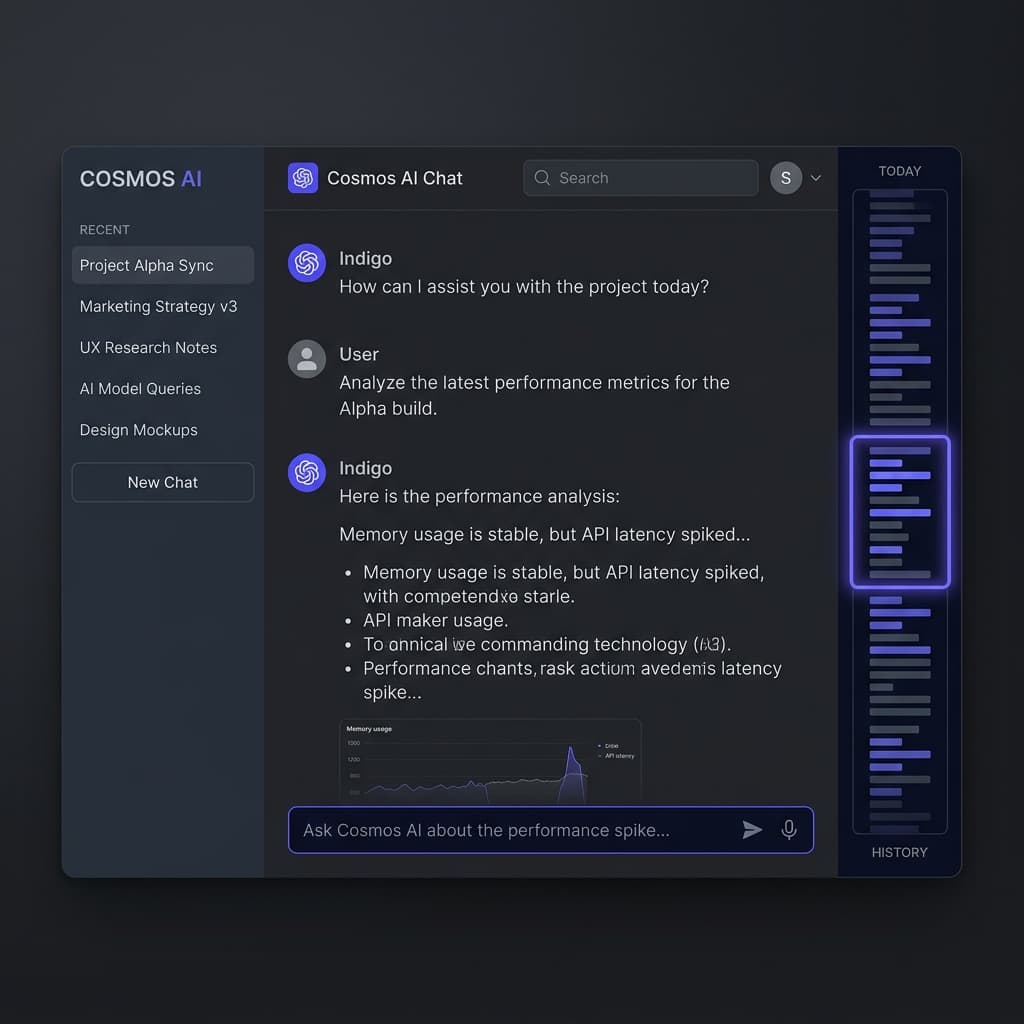
Built for Power Context
Designed for high-intensity AI workflows where context is everything.
Visual Minimap
Your conversation as a vertical bird's-eye view. Proportional bars to find long messages instantly.
Hover & Navigate
Hover to preview whole chunks of text and click any bar to scroll directly to any message.
Instant Setup
Manual installation in seconds. Get started without waiting for Web Store review cycles.
Zero Data Terms
Privacy-first. All processing is 100% local in your browser. No external requests. Ever.
Focus Map
The minimap highlights exactly where you are in the chat so you never lose context.
Multi-Platform
Works flawlessly on ChatGPT, Gemini, and Claude. One extension, all your AI chats.
Get Navis
Ready to Go.
Navis is modern. Manual installation takes 60 seconds and gives you immediate access to your data GPS.
Download ZIPDownload
Get the extension ZIP and extract the folder to your local drive.
Open Chrome
In Chrome, go to chrome://extensions and enable 'Developer Mode'.
Load Unpacked
Click 'Load unpacked' and select the folder you extracted.